Cookie compliance for Shopify.
Install a storefront consent banner through a native Shopify theme app extension and manage privacy compliance effortlessly in QookieQloud.
QookieQloud for Shopify
Why choose QookieQloud for Shopify.
Designed specifically for modern digital agencies, developers, and store owners on Shopify.
Automated Script Blocking
QookieQloud automatically detects third-party tags on Shopify and prevents them from firing until the visitor has granted consent.
Google Consent Mode v2
Full native support for Google Consent Mode v2 without any coding required. Keep your Google Analytics & Ads models accurate.
Continuous Radar Scanning
When you add new scripts or update your Shopify theme, our scheduled audit scanner automatically discovers new cookies and flags changes.
Install QookieQloud on Shopify in 3 easy steps.
Install directly from the Shopify App Store. Domain linking and account onboarding happen seamlessly inside your Shopify admin.

Install from Shopify App Store
Add QookieQloud directly from the official Shopify App Store to your merchant store in one click — no prior registration needed.
Shopify App StoreIn-Admin Onboarding
Open QookieQloud in your Shopify Admin. The guided onboarding automatically provisions your account and links your storefront domain.
Shopify Admin → Apps → QookieQloud
Enable Theme App Embed
Click "Open theme editor" and toggle on the QookieQloud App Embed. No code editing required — your storefront is instantly compliant.
Theme Editor → App Embeds → Toggle ON
Managed directly inside your Shopify Admin.
No separate login required. Onboarding, domain verification, and theme embed controls are managed straight from your Shopify store admin.
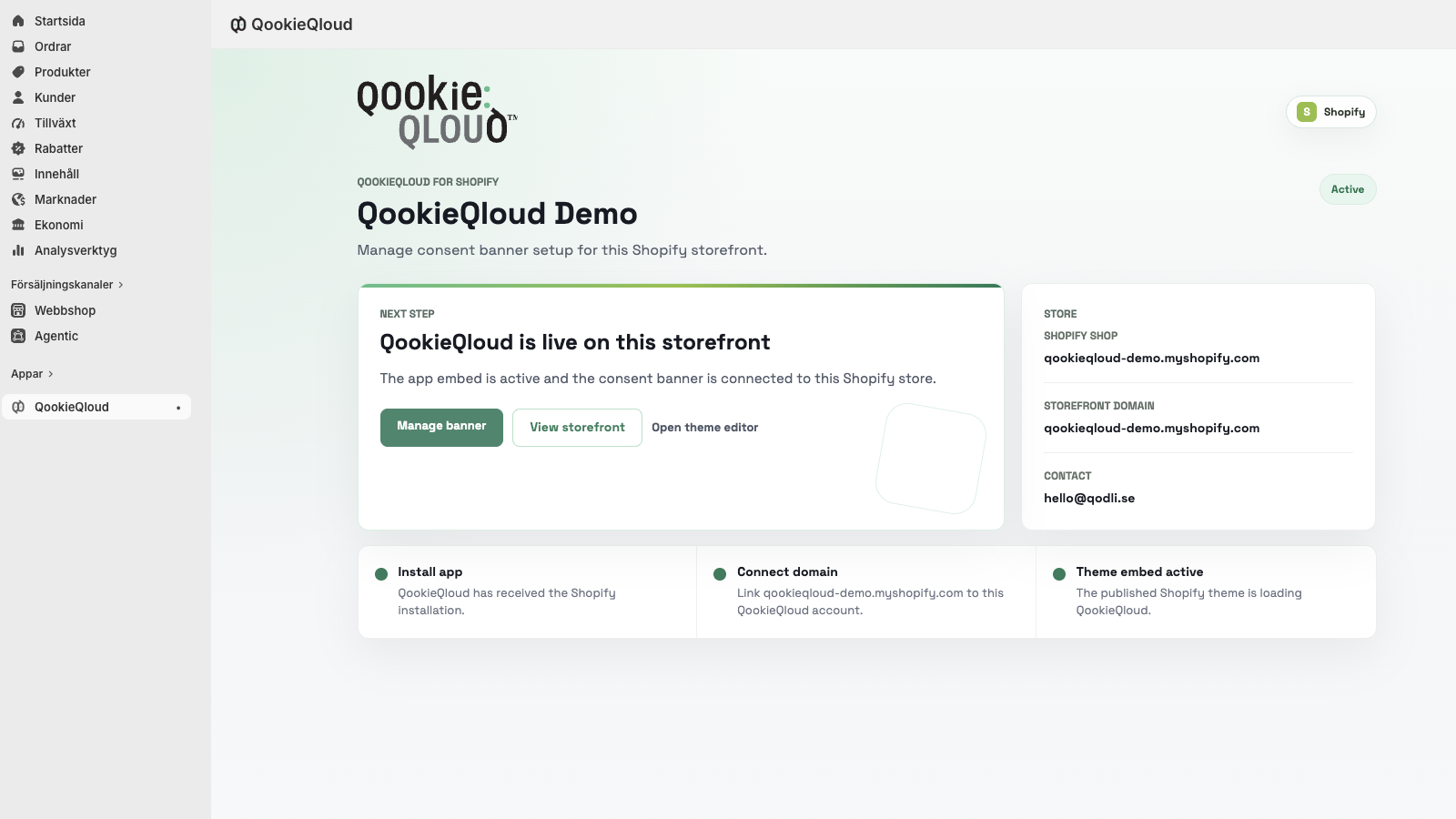
In-Admin Onboarding
Zero external sign-up required. Your merchant account and storefront domain connect automatically upon install.
Theme App Embed
Toggle on the consent banner in Online Store 2.0 theme editor with zero code alterations.
Customer Privacy API
Native handshake with Shopify’s built-in tracking rules and regional privacy settings.
Storefront Live Verification
Real-time sync indicators confirm that your theme embed is active and serving compliant consent.
QookieQloud™ for Shopify provides seamless consent management for e-commerce merchants. Built with modern Theme App Extensions, it requires zero code edits to your theme and integrates with Shopify's Customer Privacy API.
Highlights:
- Theme App Extension Architecture: Works cleanly with Online Store 2.0 themes without modifying theme code.
- Shopify Customer Privacy API: Syncs consent choices directly with Shopify's native tracking restrictions.
- Optimized for Conversions: Lightning-fast, unblockable asset delivery that never slows down checkout.
- Global Compliance: Automatically detects visitor origin to serve GDPR, CCPA/CPRA, or regional rules.
Frequently Asked Questions about Storefront Live Verification.
Got questions about integrating QookieQloud with Storefront Live Verification? Here are quick answers.
Do I need to edit my theme's Liquid code?
No. QookieQloud is built as a native Shopify Theme App Extension for Online Store 2.0. You simply toggle the App Embed on in your Shopify Theme Editor. No code editing is required, and your theme files remain 100% clean and updateable.
How does QookieQloud integrate with Shopify's Customer Privacy API?
QookieQloud automatically connects with Shopify's native window.Shopify.customerPrivacy API. When a visitor accepts or rejects tracking, consent signals are instantly synchronized across Shopify analytics, marketing pixels, and installed store apps.
Does the Shopify app support Google Consent Mode v2?
Yes, out of the box. QookieQloud automatically pushes ad_storage, ad_user_data, ad_personalization, and analytics_storage updates to Google Consent Mode v2, preserving your conversion modeling in Google Analytics 4 and Google Ads while remaining GDPR compliant.
Will QookieQloud slow down my store or affect checkout performance?
Not at all. The embed script is ultra-lightweight (<12 KB), loads asynchronously from global edge networks, and has zero negative impact on your Core Web Vitals or checkout performance.
What happens if I change or update my Shopify theme?
Because QookieQloud uses Shopify App Embeds, none of your cookie classifications, regional rules, or audit history are stored in theme files. When you publish a new theme, simply toggle the QookieQloud app embed on in the Theme Editor.
How can customers reopen cookie preferences in my storefront?
By default, the floating Qookie Eyes icon automatically appears in the corner of your storefront once consent is saved, allowing visitors to click and reopen their preferences anytime. If you prefer a menu or text link (such as in your store footer), you can also add the custom attribute data-qookie-open-settings to any link or button, and customize icon visibility in your dashboard.
Explore other QookieQloud integrations
Connect QookieQloud across all your web projects
Ready to make your Storefront Live Verification site fully compliant?
Run a free instant radar scan today and see what third-party cookies your visitors receive before consent.